WhatNow App
Guided journaling that helps you turn hard moments into momentum.

WhatNow
A lightweight web app designed to capture the moment something hard happens, then guide you back later to extract meaning and direction.
Get the app on your iPhone (Safari)
On iPhone, the best way to use WhatNow is to save it to your Home Screen so it opens full-screen like a native app.
Use Safari. The “Add to Home Screen” option won’t show up the same way in other iPhone browsers.
-
Open Safari
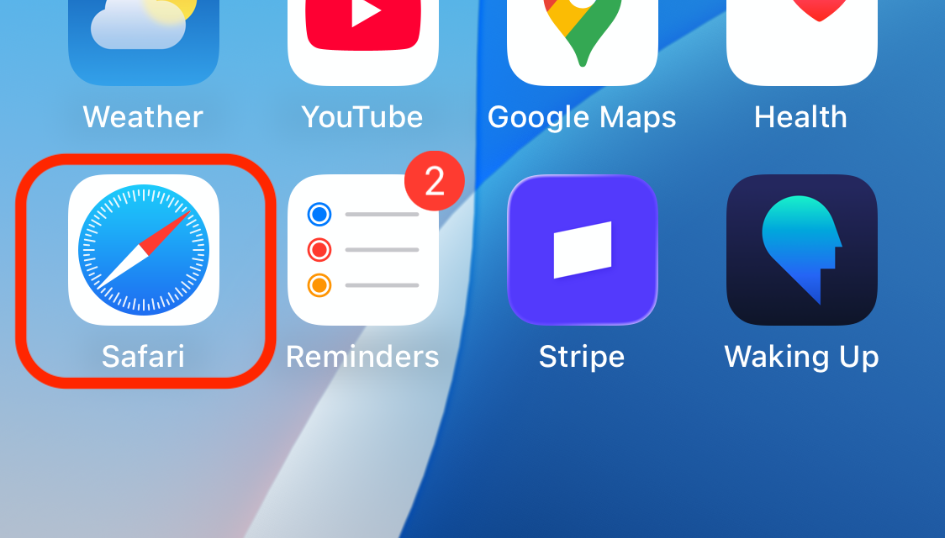
-
Copy "watnow.netlify.app" Paste and Go
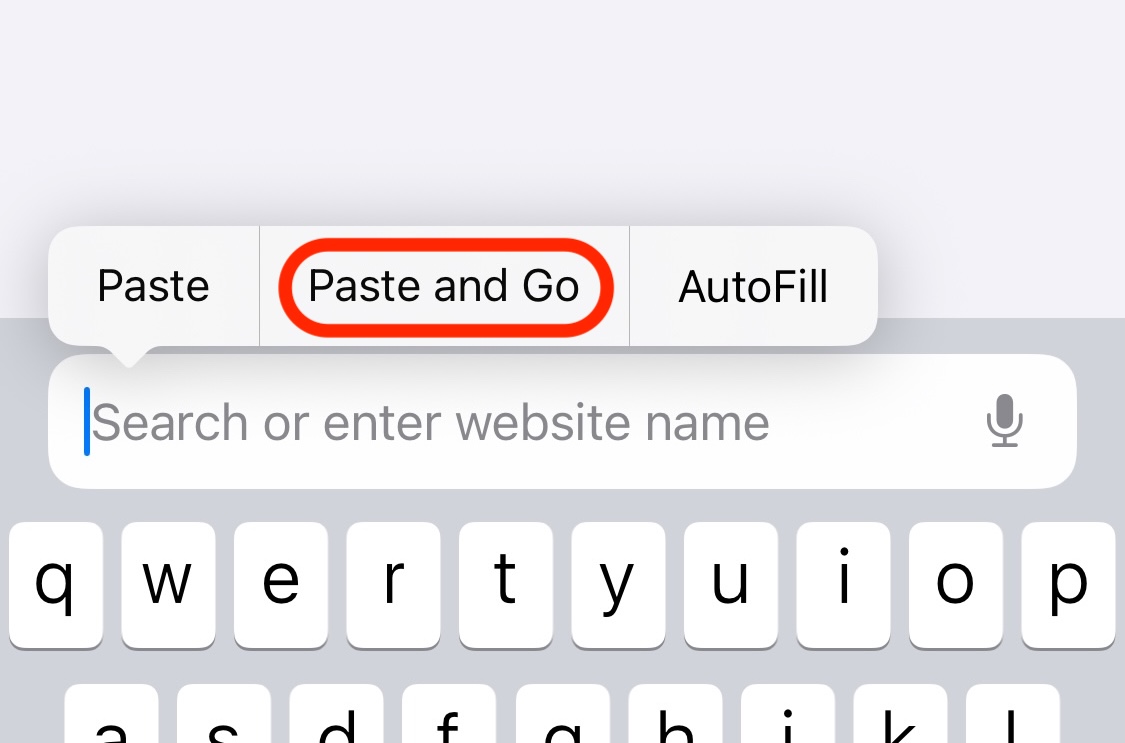
Or. Go to the app URL — type watnow.netlify.app and tap Go.
-
Tap the Share button (square with an arrow).
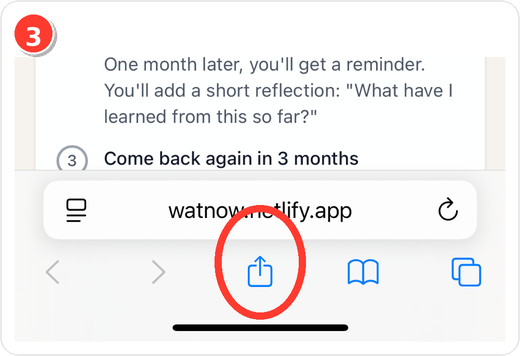
-
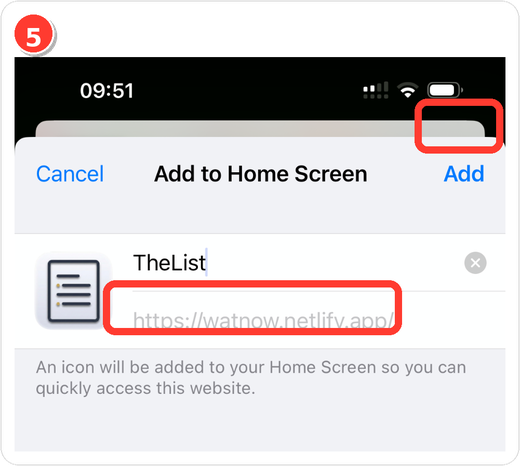
Choose “Add to Home Screen.”
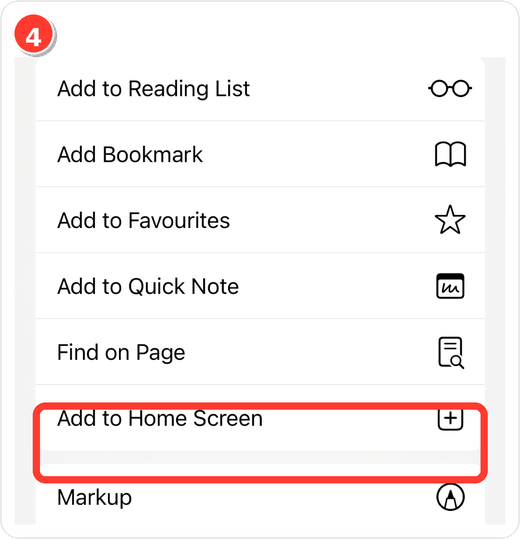
-
Tap “Add.” You can keep or edit the name first.
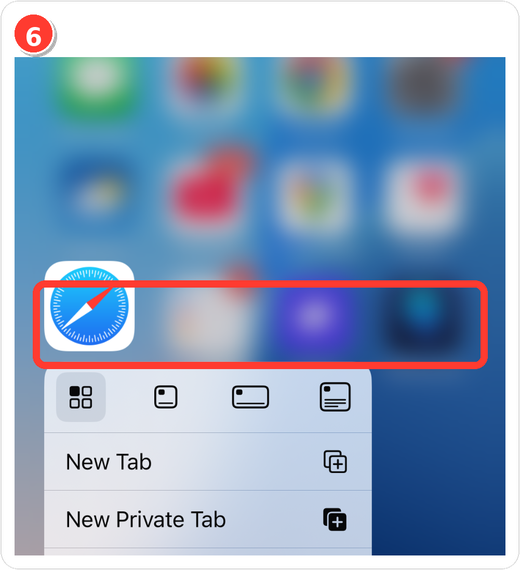
Optional tip: Press-and-hold the Safari icon for quick actions (e.g., New Tab).
Quick actions (iPhone-ready)
- Open:
https://watnow.netlify.app/ - In Safari tap Share → Add to Home Screen.
- Confirm Add.
Why use it
- Process setbacks with structured prompts.
- Return to the same entry later to log what changed.
- Works on desktop and mobile; saves best as a Home Screen app on iPhone.
Need the icon?
If you see a generic icon when adding to Home Screen, make sure your site has an Apple touch icon (often called apple-touch-icon.png) and/or a PWA manifest icon set.
- The screenshots above use the provided icon.
- To wire a dedicated file, place your icon at
public/images/apps/watnow.pngand reference it in your PWA manifest /apple-touch-icon.
Links
- Live app: WhatNow
More work

Rent your parking space
Availability, price, and booking requests in one link.
PhotoArc
Turn selected photos into a clean progression video and watch change unfold over time.
ListenEasy
A lightweight listening experience for narrated notes and writing—coming soon.

Google Reviews
Helping welcoming places look as good online as they feel in person.
Muebles Begui
A clean website for a furniture shop — a clear window to the store.
My Portfolio Site
A custom-built portfolio showcasing my work and ideas.