
WhatNow
A lightweight web app designed to capture the moment something hard happens, then guide you back later to extract meaning and direction.
Get the app on your iPhone (Safari)
On iPhone, the best way to use WhatNow is to save it to your Home Screen so it opens full-screen like a native app.
Use Safari. The “Add to Home Screen” option won’t show up the same way in other iPhone browsers.
-
Open Safari
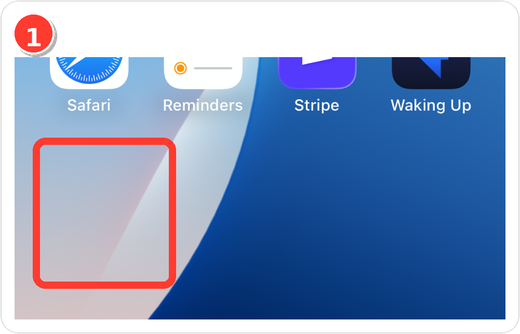
-
Go to the app URL — type
watnow.netlify.appand tap Go.
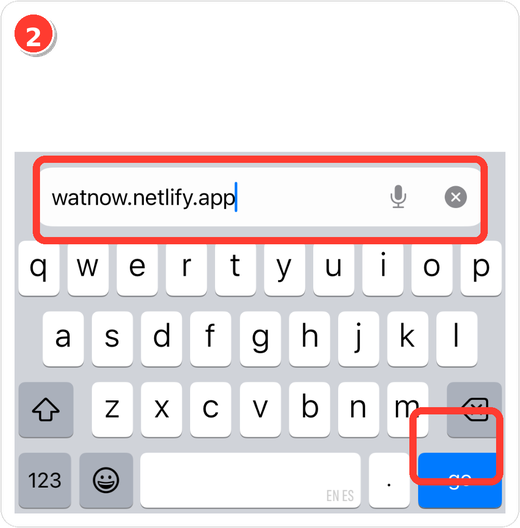
-
Tap the Share button (square with an arrow).
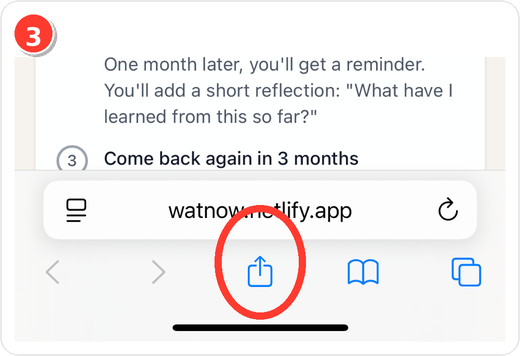
-
Choose “Add to Home Screen.”
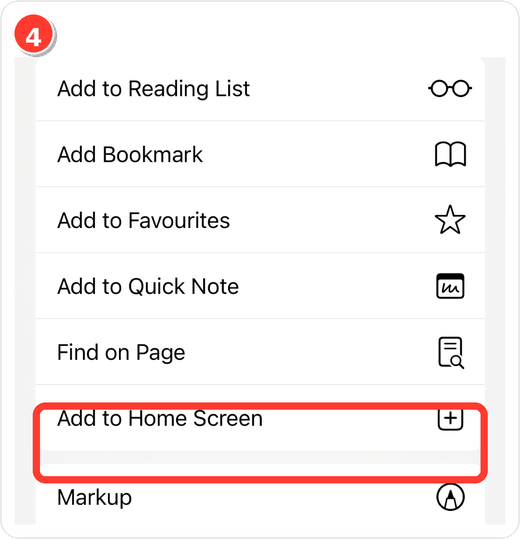
-
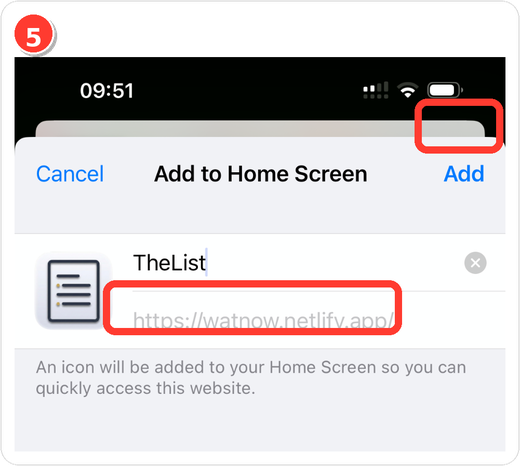
Tap “Add.” You can keep or edit the name first.
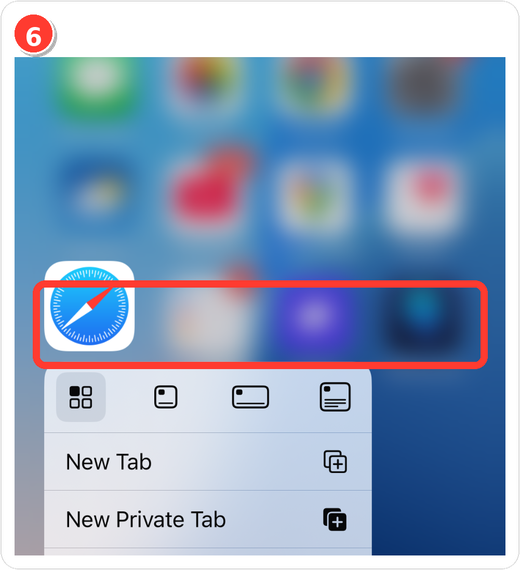
Optional tip: Press-and-hold the Safari icon for quick actions (e.g., New Tab).
Quick actions (iPhone-ready)
- Open:
https://watnow.netlify.app/ - In Safari tap Share → Add to Home Screen.
- Confirm Add.
Why use it
- Process setbacks with structured prompts.
- Return to the same entry later to log what changed.
- Works on desktop and mobile; saves best as a Home Screen app on iPhone.
Need the icon?
If you see a generic icon when adding to Home Screen, make sure your site has an Apple touch icon (often called apple-touch-icon.png) and/or a PWA manifest icon set.
- The screenshots above use the provided icon.
- To wire a dedicated file, place your icon at
public/images/apps/watnow.pngand reference it in your PWA manifest /apple-touch-icon.
Links
- Live app: WhatNow